

If you want to generate dynamic options, please use a search input instead.
Compatibility
Properties
string
required
select - the type of the componentstring
required
A unique internal-only identifier that is posted to an app’s plugin server to share values inputted by the creator
string
required
Creator-facing identifier that is shown in the plugin environment
array
required
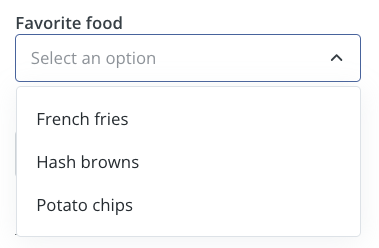
Array of objects containing label-value pairs for the dropdown options
string
Placeholder text displayed when no option is selected
string
Default option value that is pre-selected when the component first loads
boolean
Determines whether the creator must make a selection before proceeding
string
Brief creator-facing explanation that clarifies the component’s purpose and usage. (256 character limit. Supports markdown:
[text](url), **bold**, and *italic*)object array
Allows for the field to be shown conditionally. dependent on other fields. See dependencies page for more details.