

Compatibility
Properties
string
required
numericalInput - the type of the componentstring
required
A unique internal-only identifier that is posted to an app’s plugin server to share values inputted by the creator
string
required
Creator-facing identifier that is shown in the plugin environment
string
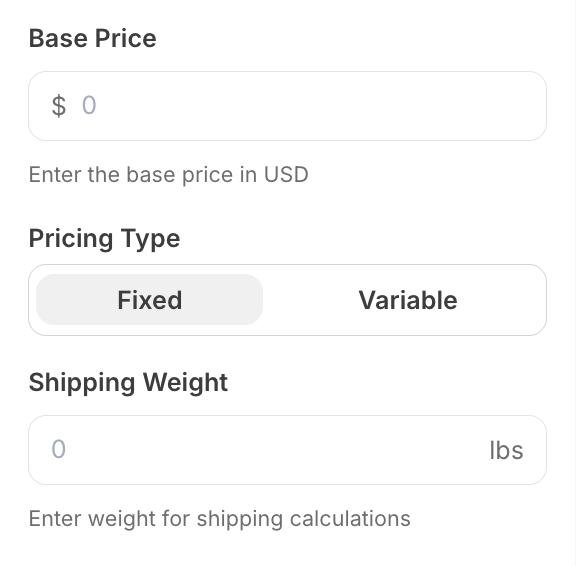
Text or symbol displayed before the input field (e.g., ”$” for currency). Maximum 5 characters. Cannot be used with
append.string
Text or symbol displayed after the input field (e.g., “lbs” for weight). Maximum 5 characters. Cannot be used with
prepend.number
Maximum value allowed
number
Minimum value allowed
number
Default numeric value when the component first loads
boolean
Determines whether the creator must enter a value before proceeding
string
Brief creator-facing explanation that clarifies the component’s purpose and usage. (256 character limit. Supports markdown:
[text](url), **bold**, and *italic*)object array
Allows for the field to be shown conditionally. dependent on other fields. See dependencies page for more details.
Important Notes
- Either
prependorappendmust be provided, but not both - The placeholder is automatically set to “0” and cannot be customized
- Input accepts decimal numbers and automatically validates numeric format