

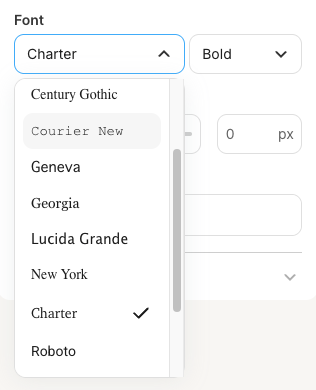
Compatibility
Properties
string
required
fontFamily - the type of the componentstring
required
A unique internal-only identifier that is posted to an app’s plugin server to share values inputted by the creator
string
required
Creator-facing identifier that is shown in the plugin environment
object
Default font value that is pre-selected when the component first loads. Object with
fontFamily (string) and fontWeight (number or string) properties.boolean
Determines whether the creator must select a font before proceeding
string
Brief creator-facing explanation that clarifies the component’s purpose and usage. (256 character limit. Supports markdown:
[text](url), **bold**, and *italic*)object array
Allows for the field to be shown conditionally. dependent on other fields. See dependencies page for more details.
Best practices
Automatic styling
When using thefont picker for content blocks, alongside the settings object, Kit also shares data on the styles used within the email template - allowing your plugin to assume the styling of the email automatically, to make it feel as native as possible.
Details on the style data available can be found below:
Supported HTML elements
Supported HTML elements
- p
- h1
- h2
- h3
- h4
- h5
- h6
- ol
- ul
- blockquote
- a
Example request
Example request