> ## Documentation Index
> Fetch the complete documentation index at: https://developers.kit.com/llms.txt
> Use this file to discover all available pages before exploring further.
# Content blocks plugin settings
> Sidebar settings components
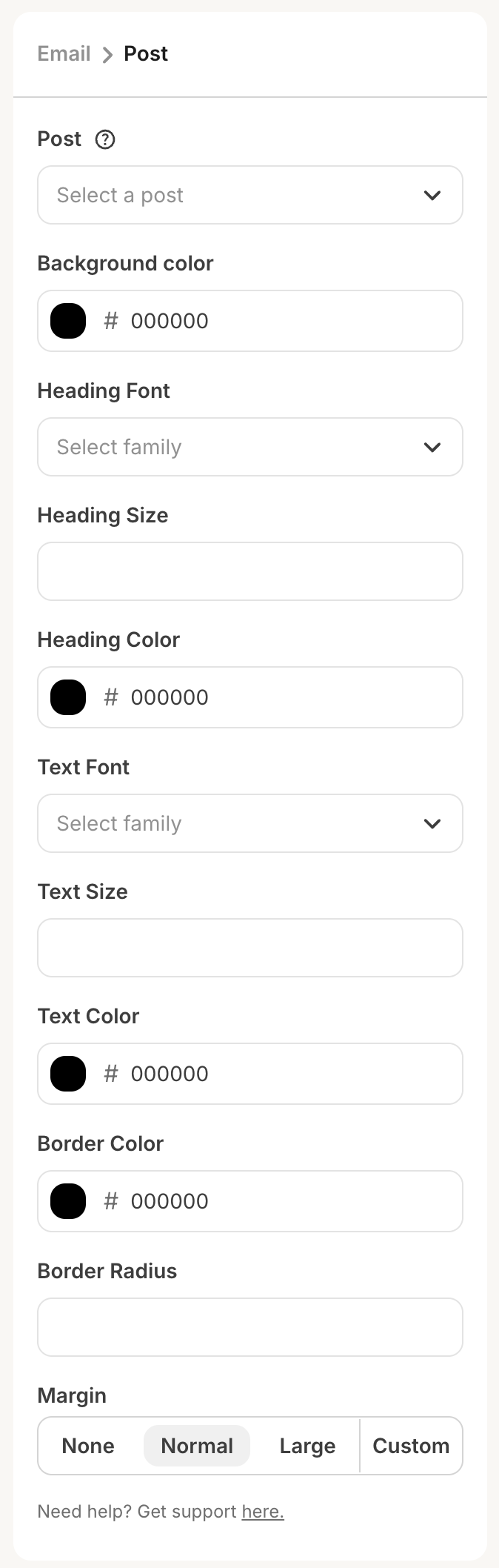
This guide explains all of the sidebar settings components that are available to be used in your plugin's [settings JSON](/plugins/content-blocks/plugin-configuration#settings-json) configuration, giving your app users the ability to select and customize the HTML content they want to add into their email content.
 ## Compatible settings components
* [Color picker](/plugins/component-library/color-picker)
* [Date picker](/plugins/component-library/date-picker)
* [Font picker](/plugins/component-library/font-picker)
* [Group](/plugins/component-library/group)
* [Numerical input](/plugins/component-library/numerical-input)
* [Radio group](/plugins/component-library/radio-group)
* [Search input](/plugins/component-library/search-input)
* [Select input](/plugins/component-library/select-input)
* [Slider](/plugins/component-library/slider)
* [Textarea](/plugins/component-library/textarea)
* [Text input](/plugins/component-library/text-input)
* [Toggle](/plugins/component-library/toggle)
## Refreshing data
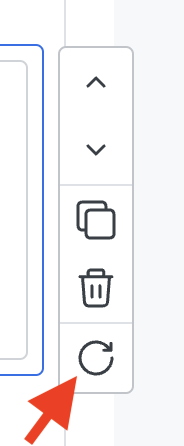
After a user has configured all required settings, we will perform a request to your server for the block's HTML. If the user wants to refresh the data, they can either:
1. Click the refresh button that appears when hovering over the element (pictured below), or
2. Change one of your plugin’s settings in the sidebar, which will automatically kick off another request for new HTML.
## Compatible settings components
* [Color picker](/plugins/component-library/color-picker)
* [Date picker](/plugins/component-library/date-picker)
* [Font picker](/plugins/component-library/font-picker)
* [Group](/plugins/component-library/group)
* [Numerical input](/plugins/component-library/numerical-input)
* [Radio group](/plugins/component-library/radio-group)
* [Search input](/plugins/component-library/search-input)
* [Select input](/plugins/component-library/select-input)
* [Slider](/plugins/component-library/slider)
* [Textarea](/plugins/component-library/textarea)
* [Text input](/plugins/component-library/text-input)
* [Toggle](/plugins/component-library/toggle)
## Refreshing data
After a user has configured all required settings, we will perform a request to your server for the block's HTML. If the user wants to refresh the data, they can either:
1. Click the refresh button that appears when hovering over the element (pictured below), or
2. Change one of your plugin’s settings in the sidebar, which will automatically kick off another request for new HTML.