> ## Documentation Index
> Fetch the complete documentation index at: https://developers.kit.com/llms.txt
> Use this file to discover all available pages before exploring further.
# Dynamic select input
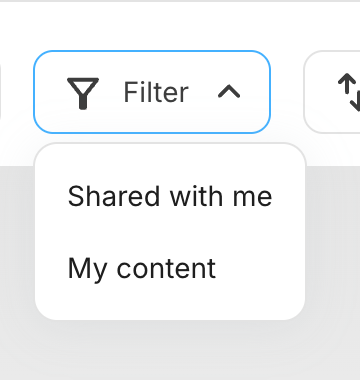
The dynamic select input provides creators with a dropdown menu containing options fetched dynamically from your server. This component is specifically designed for filtering media gallery results in real-time. When a creator selects an option, it triggers a new request to refresh the media results based on the selected filter value.
 Fields cannot be dependent on dynamic select inputs as they are only available for the media source, that has restricted component functionality. Check the [media source documentation](/plugins/media-source/plugin-settings) for more details.
## Compatibility
| Plugin type | Availability | Additional notes |
| -------------- | ---------------------------- | --------------------------------------------------------------------------------------------------------------------------------------------------------- |
| Content blocks | | |
| Media source | | Available as part of the preset `filter` group functionality. Check [media source documentation](/plugins/media-source/plugin-settings) for more details. |
## Request URL behaviour
Kit makes POST requests to your `request_url` in the following scenarios:
* **Initial load**: Request to populate the dropdown options when the plugin loads
* **Filter selection**: Request with the selected value to return filtered media results
Your endpoint should return an array of label-value pairs for the dropdown options:
```json theme={null}
{
"options": [
{
"label": "Home",
"value": "home"
},
{
"label": "Favorites",
"value": "favorites"
},
{
"label": "Shared",
"value": "shared"
}
]
}
```
## Properties
`dynamicSelect` - the type of the component
A unique internal-only identifier that is posted to an app's plugin server to share values inputted by the creator
Creator-facing identifier that is shown in the plugin environment
The endpoint URL that Kit will call to fetch dynamic options and handle filter selections
Determines whether the creator must make a selection before proceeding
```json JSON setting theme={null}
{
"type": "group",
"name": "filter_group",
"settings": [
{
"type": "dynamicSelect",
"label": "Folders",
"name": "folder",
"request_url": "https://example-plugin.com/folders",
"required": false
}
]
}
```
```json Example response theme={null}
{
"settings": {
"folder": "favorites"
// ...additional plugin settings
}
// ...plugin-specific additional data
}
```
Fields cannot be dependent on dynamic select inputs as they are only available for the media source, that has restricted component functionality. Check the [media source documentation](/plugins/media-source/plugin-settings) for more details.
## Compatibility
| Plugin type | Availability | Additional notes |
| -------------- | ---------------------------- | --------------------------------------------------------------------------------------------------------------------------------------------------------- |
| Content blocks | | |
| Media source | | Available as part of the preset `filter` group functionality. Check [media source documentation](/plugins/media-source/plugin-settings) for more details. |
## Request URL behaviour
Kit makes POST requests to your `request_url` in the following scenarios:
* **Initial load**: Request to populate the dropdown options when the plugin loads
* **Filter selection**: Request with the selected value to return filtered media results
Your endpoint should return an array of label-value pairs for the dropdown options:
```json theme={null}
{
"options": [
{
"label": "Home",
"value": "home"
},
{
"label": "Favorites",
"value": "favorites"
},
{
"label": "Shared",
"value": "shared"
}
]
}
```
## Properties
`dynamicSelect` - the type of the component
A unique internal-only identifier that is posted to an app's plugin server to share values inputted by the creator
Creator-facing identifier that is shown in the plugin environment
The endpoint URL that Kit will call to fetch dynamic options and handle filter selections
Determines whether the creator must make a selection before proceeding
```json JSON setting theme={null}
{
"type": "group",
"name": "filter_group",
"settings": [
{
"type": "dynamicSelect",
"label": "Folders",
"name": "folder",
"request_url": "https://example-plugin.com/folders",
"required": false
}
]
}
```
```json Example response theme={null}
{
"settings": {
"folder": "favorites"
// ...additional plugin settings
}
// ...plugin-specific additional data
}
```