> ## Documentation Index
> Fetch the complete documentation index at: https://developers.kit.com/llms.txt
> Use this file to discover all available pages before exploring further.
# Managing your apps
> Updating your app once it's live
Once an app has been published, it will be available for all creators to install and use - but what happens if you want to edit your app, stop new users from installing it or removing it completely from the Kit App Store?
## Editing your app
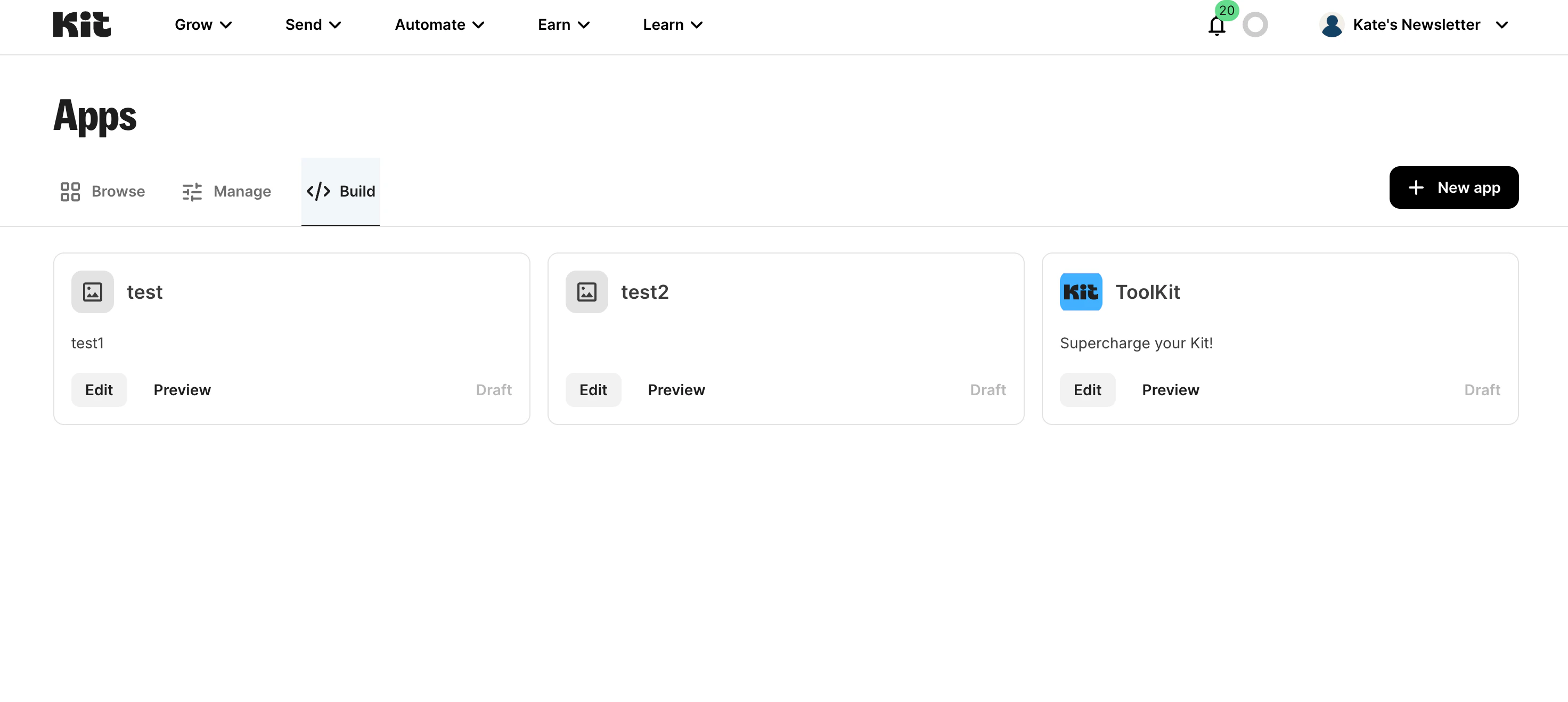
Once an app is live, you can find and edit it from within the ["Build" tab](https://app.kit.com/apps?is=created) of the Kit App Store. Here you can update your app details page, your authentication settings or create and manage existing plugins.
If your app offers **Visual Automation templates**, you can create, submit, unpublish, and delete them from your app’s **Templates** tab. How review, publish, and locked-automation behavior work is documented in the [Visual Automation templates guide](/kit-app-store/va-templates).
 It is important to note that once published, any updates to your app will be reflected immediately, for all creators that have already installed your app as well as new installations.
Therefore, we recommend that you make edits on an unpublished test version of the app, so that you can test and preview the changes thoroughly, before moving them across to the published app.
## Unpublishing or deleting your app
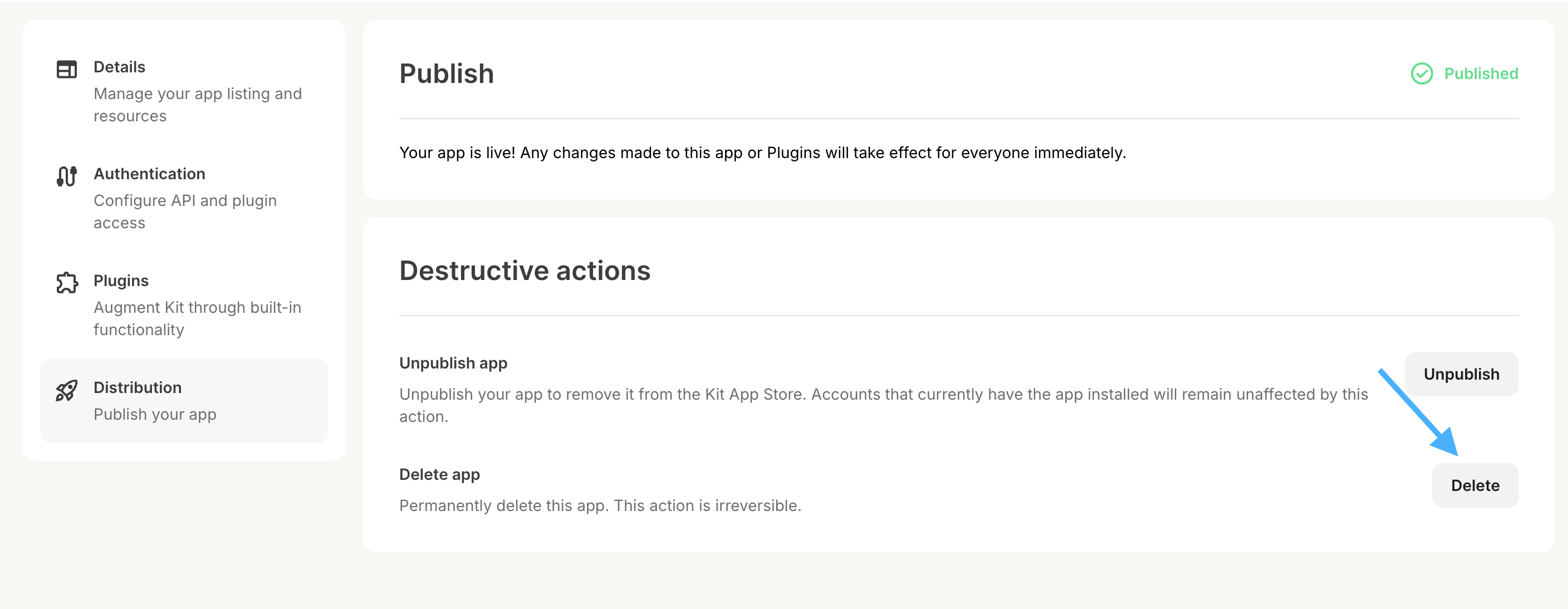
To **unpublish your app**, go to the [Build tab](https://app.kit.com/apps?is=created) and click your app's "Edit" button. Navigate to the "Distribution" tab, and click the "Unpublish" button at the bottom to unpublish it.
It is important to note that once published, any updates to your app will be reflected immediately, for all creators that have already installed your app as well as new installations.
Therefore, we recommend that you make edits on an unpublished test version of the app, so that you can test and preview the changes thoroughly, before moving them across to the published app.
## Unpublishing or deleting your app
To **unpublish your app**, go to the [Build tab](https://app.kit.com/apps?is=created) and click your app's "Edit" button. Navigate to the "Distribution" tab, and click the "Unpublish" button at the bottom to unpublish it.
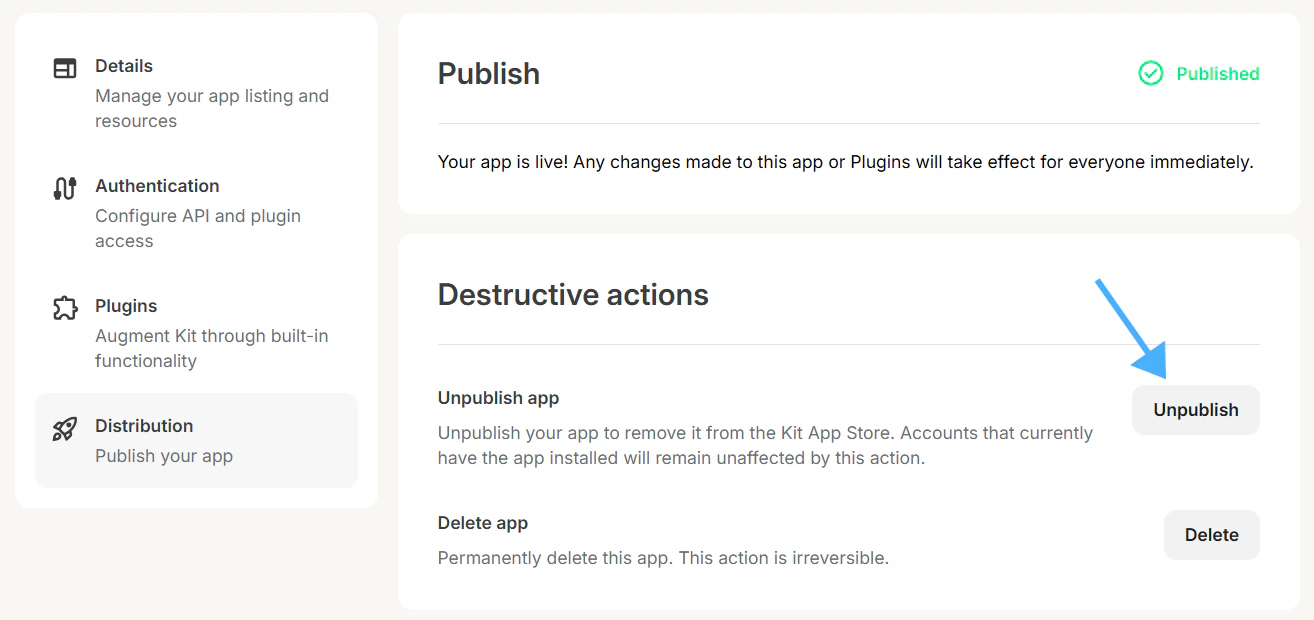 When you unpublish your app, it will no longer be publicly visible in the Kit App Store. However, **creators who already have your app installed can continue to use it**.
To make your unpublished app unavailable for use (while still keeping it installed for creators), you'll need to:
* Deactivate the app's plugin authentication, and/or
* Pause the sending of API calls from your app.
Alternatively, you can **delete your app**. This will remove it from the Kit App Store and the accounts of creators who have installed it. These creators will no longer be able to use your app.
Delete your app by clicking your app's "Edit" button from the [Build tab](https://app.kit.com/apps?is=created) in the Kit App Store. Navigate to the Distribution tab, and click the "Delete" button at the bottom.
When you unpublish your app, it will no longer be publicly visible in the Kit App Store. However, **creators who already have your app installed can continue to use it**.
To make your unpublished app unavailable for use (while still keeping it installed for creators), you'll need to:
* Deactivate the app's plugin authentication, and/or
* Pause the sending of API calls from your app.
Alternatively, you can **delete your app**. This will remove it from the Kit App Store and the accounts of creators who have installed it. These creators will no longer be able to use your app.
Delete your app by clicking your app's "Edit" button from the [Build tab](https://app.kit.com/apps?is=created) in the Kit App Store. Navigate to the Distribution tab, and click the "Delete" button at the bottom.