> ## Documentation Index
> Fetch the complete documentation index at: https://developers.kit.com/llms.txt
> Use this file to discover all available pages before exploring further.
# API V3 Authentication
## API key
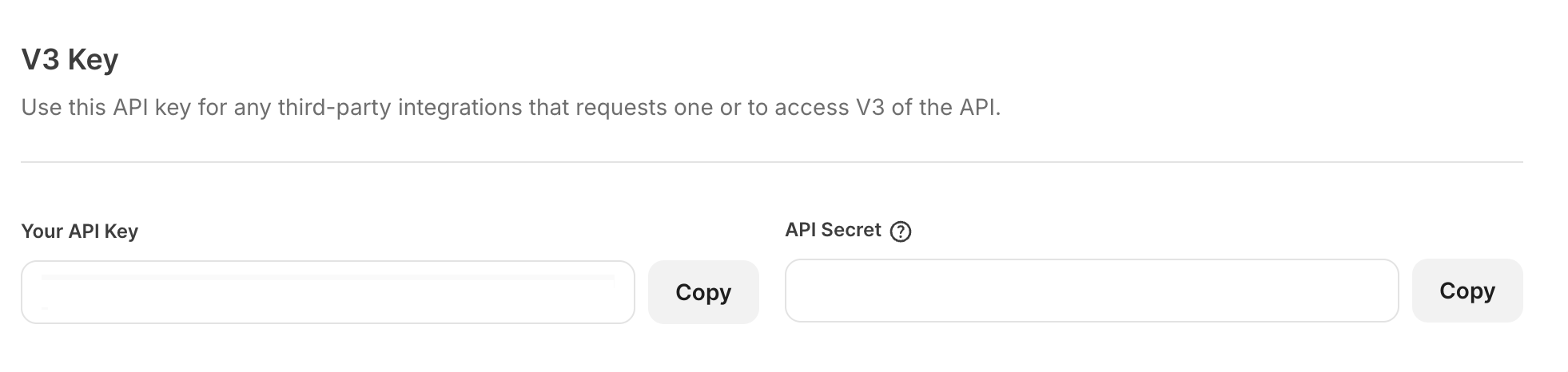
All API calls require the `api_key` parameter. You can find your API Key in the Kit [developer settings page](https://app.kit.com/account_settings/developer_settings) under the `V3 Key` section.
 ## API secret key
Some API calls require the `api_secret` parameter. All calls that require `api_key` also work with `api_secret`, there's no need to use both. This key grants access to sensitive data and actions on your subscribers. You should treat it as your password and shouldn't use it in any client-side code (usually that means JavaScript).
This can also be found in the Kit [developer settings page](https://app.kit.com/account_settings/developer_settings) under the `V3 Key` section.
## Integration Key
We no longer support the creation of new integration keys for V3 of the API. If you would like to build a new integration with Kit, please refer to our documentation for [building apps for the Kit App Store](/kit-app-store/overview). If you encounter any issues with your integration key for a pre-existing integration, please reach out to the [Kit support team](https://kit.com/support), who will be able to assist you.
## API secret key
Some API calls require the `api_secret` parameter. All calls that require `api_key` also work with `api_secret`, there's no need to use both. This key grants access to sensitive data and actions on your subscribers. You should treat it as your password and shouldn't use it in any client-side code (usually that means JavaScript).
This can also be found in the Kit [developer settings page](https://app.kit.com/account_settings/developer_settings) under the `V3 Key` section.
## Integration Key
We no longer support the creation of new integration keys for V3 of the API. If you would like to build a new integration with Kit, please refer to our documentation for [building apps for the Kit App Store](/kit-app-store/overview). If you encounter any issues with your integration key for a pre-existing integration, please reach out to the [Kit support team](https://kit.com/support), who will be able to assist you.